
Joining your lesson in GLTEngage
1. Click the orange JOIN button to enter your lesson.
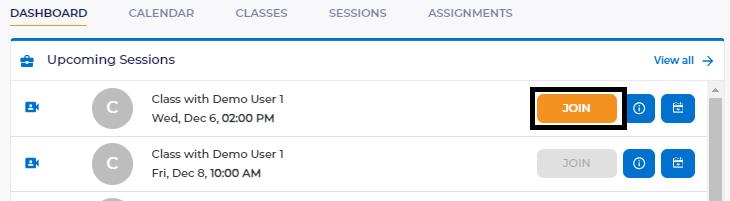
2. After you click the JOIN button, you will be immediately redirected into your meeting room.
Joining your lesson through the GLTEngage Smartlink
1. Click the GLTEngage Smartlink that your teacher provided.
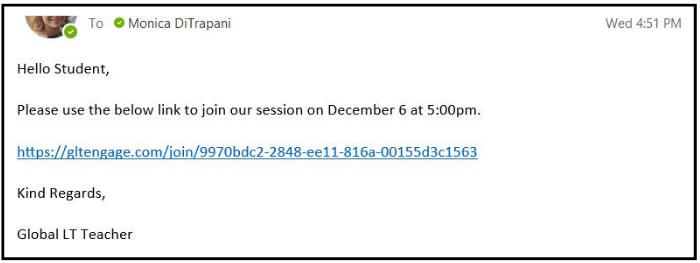
2. The GLTEngage Smartlink will direct you to the GLTEngage login page where you can add your login ID and password and click SIGN IN.
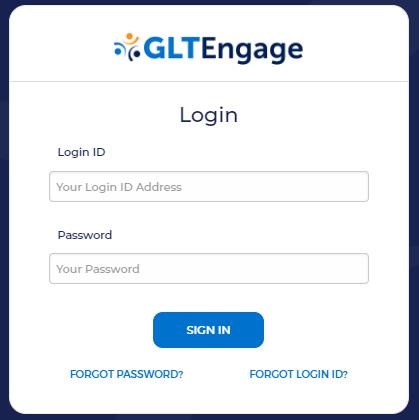
3. Once you click SIGN IN, you will be immediately redirected into your meeting room.
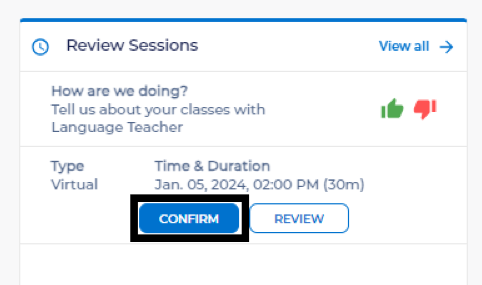
1. After you log into www.GLTEngage.com, go to Review Sessions on the main Dashboard.
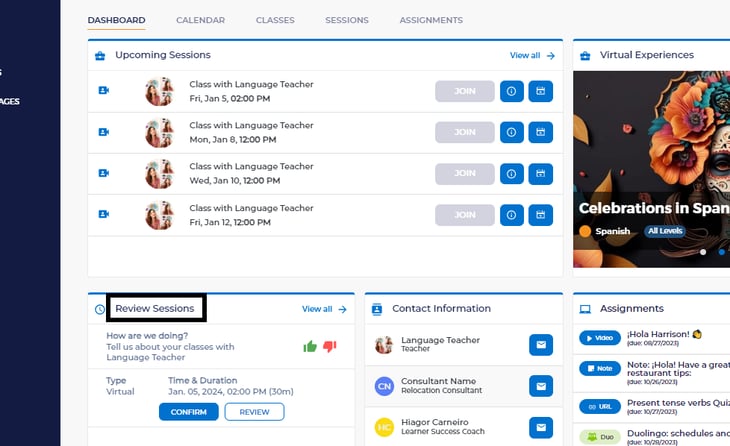
2. Select Confirm for each session listed that you want to approve, or Review for additional details.
***Please note that for virtual lessons, you will not have to approve them if you join the lesson from GLTEngage through the steps provided above.